One Shoot, Three Deliverables: Planning a Shot List for 16:9, 9:16 and 1:1
Clients want widescreen, vertical and square from the same day. A planning method that makes every shot work in all three.
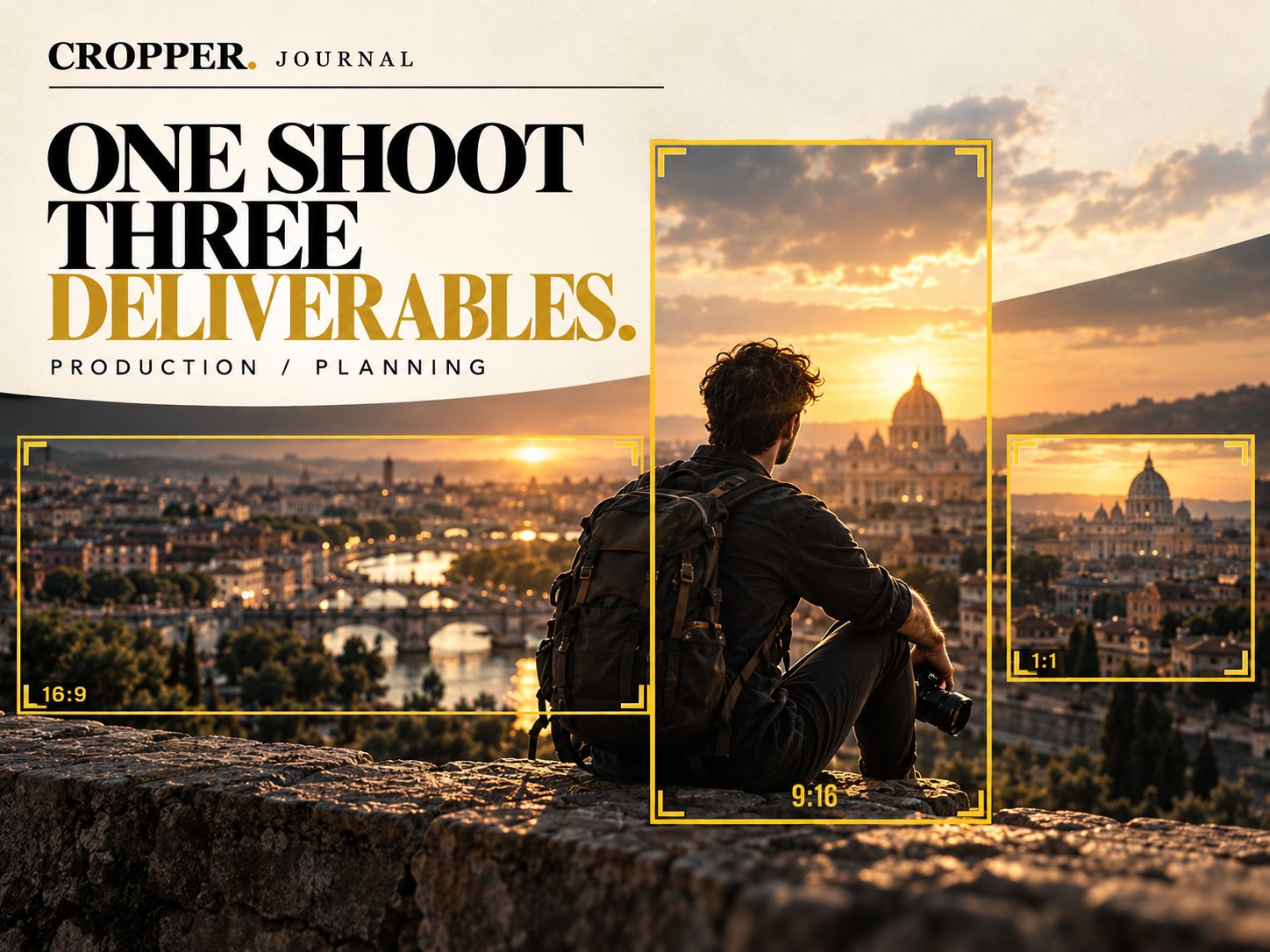
Quick answer: to get 16:9, 9:16 and 1:1 from one shoot, frame each shot in widescreen with the subject inside a central "safe column" that a vertical crop can hold, shoot in 4K or higher, and add a few dedicated close-ups for vertical. Plan which shots serve which deliverable in the shot list.
Brand films, travel content and events often need all three shapes. Planning for it on paper is easier than fixing it in the edit.
Think in overlapping frames
Picture three rectangles on your monitor: the full 16:9 frame, a tall 9:16 window and a square 1:1 window. The subject needs to fit inside all three. That usually means keeping them within the central portion of the wide frame, or deliberately planning where the vertical window will travel.
Write it into the shot list
Add a column for deliverables. Mark each shot as W (wide), V (vertical), S (square) or all three. Establishing landscapes might be W only. A traveler sitting on a wall above the city could be all three. A close detail of hands might be V and S.
On the day
Use frame guides. Many monitors and cameras can display custom aspect ratio overlays.
Shoot high resolution. Vertical crops from 4K stay sharp at 1080 x 1920.
Grab extra vertical moments. A few seconds of tighter framing gives the edit options.
In the edit
Finish the wide edit, then reframe vertical and square versions. Each needs its own framing decisions. See Choosing the Right Aspect Ratio for Each Platform and Shoot Wide, Deliver Vertical.
Deliver every shape
Cropper reframes wide footage to 9:16 and 1:1 by hand, in Premiere Pro, DaVinci Resolve or on mobile.
Explore the Cropper plugins for Premiere Pro and DaVinci Resolve · Cropper on the App Store · Cropper on Google Play