Shoot Wide, Deliver Vertical: Planning a 16:9 Shoot for 9:16 Social
One camera, two deliveries. How to plan and frame a widescreen shoot so it still works when you cut it down to a vertical 9:16 frame for social.
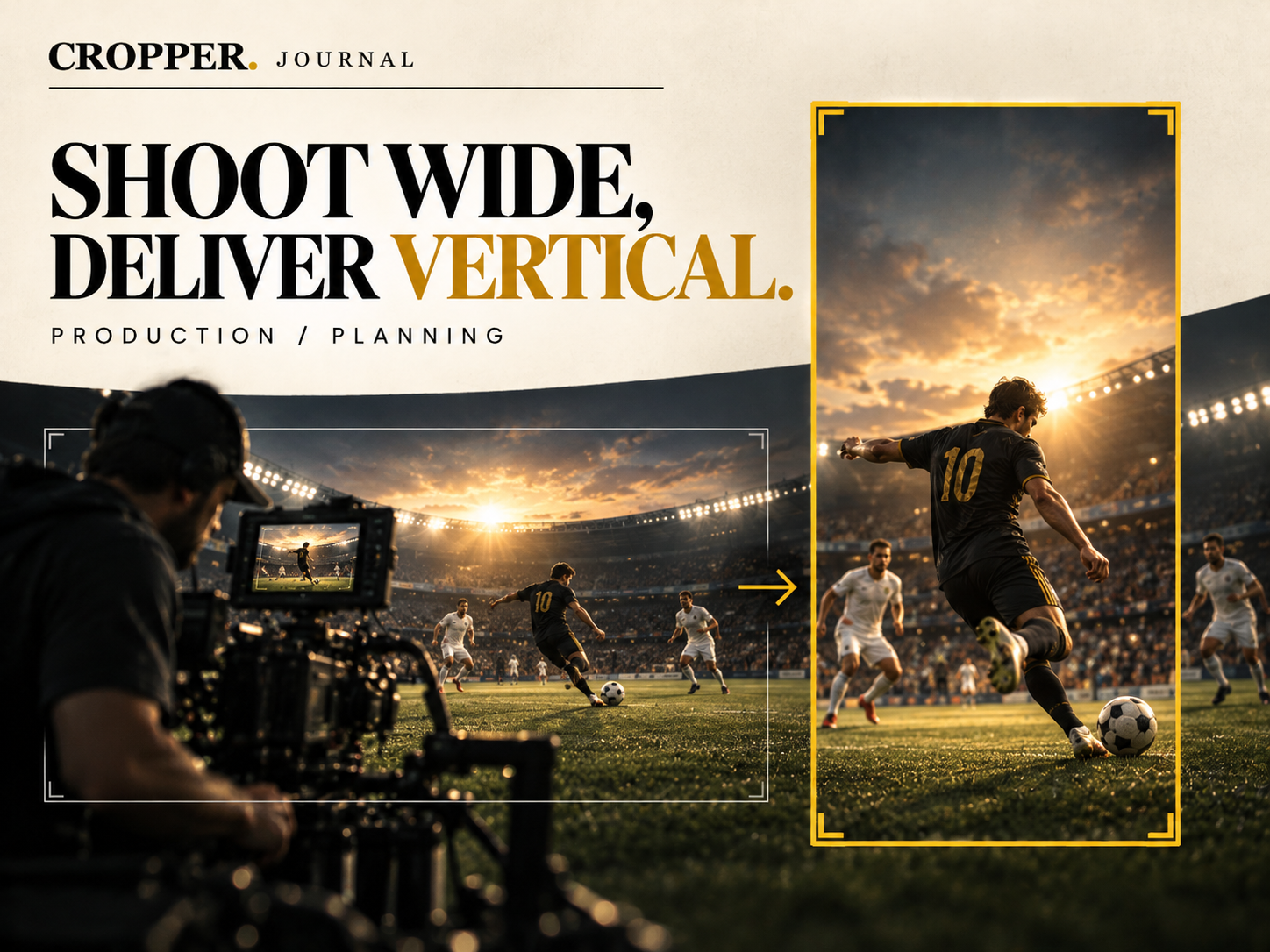
Most productions still record in 16:9. The camera, the monitor, the lenses and the crew's instincts are all built around a wide frame. But a growing share of the audience will meet that footage on a phone, held upright, inside a 9:16 rectangle.
You do not need a second camera to serve both. You need a plan.
Think of the vertical frame as a moving window
A 9:16 crop taken from a 16:9 image uses roughly a third of the width. That third can sit anywhere in the frame and it can move during the shot. The question on set is simple: wherever the important action happens, will a vertical window be able to contain it?
If the answer is yes, you have a shot that works on every screen. If the subject is split across both edges of the frame, no amount of editing will save the vertical version.
Five habits for a vertical-friendly wide shoot
1. Keep key subjects close together. Two people talking at opposite ends of a wide frame look cinematic in 16:9 and impossible in 9:16. Bring them a little closer, or plan to cut between them.
2. Leave headroom. A vertical crop shows much more of the top and bottom of the frame relative to its width. A tight wide shot that trims the top of a head will feel cramped once it is upright.
3. Shoot at the highest resolution you can. A vertical crop from a 1920×1080 source is only about 608 pixels wide. From a 4K source it is roughly 1215 pixels, enough to deliver a clean 1080×1920 file.
4. Give movement somewhere to go. If a runner crosses the frame from left to right, the vertical window will follow. Make sure there is clean space in front of them for the crop to lead into.
5. Grab a few static moments. Locked-off shots with the subject near the center give the editor safe material for openers, titles and transitions.
In the edit
Once the material is in, reframing becomes an editorial job. Decide what the viewer needs to see in each moment, then guide the window there. Cropper was built for exactly this: you tap or drag to place the frame, Cropper creates the keyframes, and the vertical version follows your decisions instead of guessing.
A wide shoot planned with the vertical delivery in mind takes almost no extra time on set, and it saves hours later.