Travel Looks Better Vertical: Reframing Landscape Footage for Reels and TikTok
Wide landscapes and tall phones seem like a bad match. With the right framing choices, travel footage can look even better in 9:16.
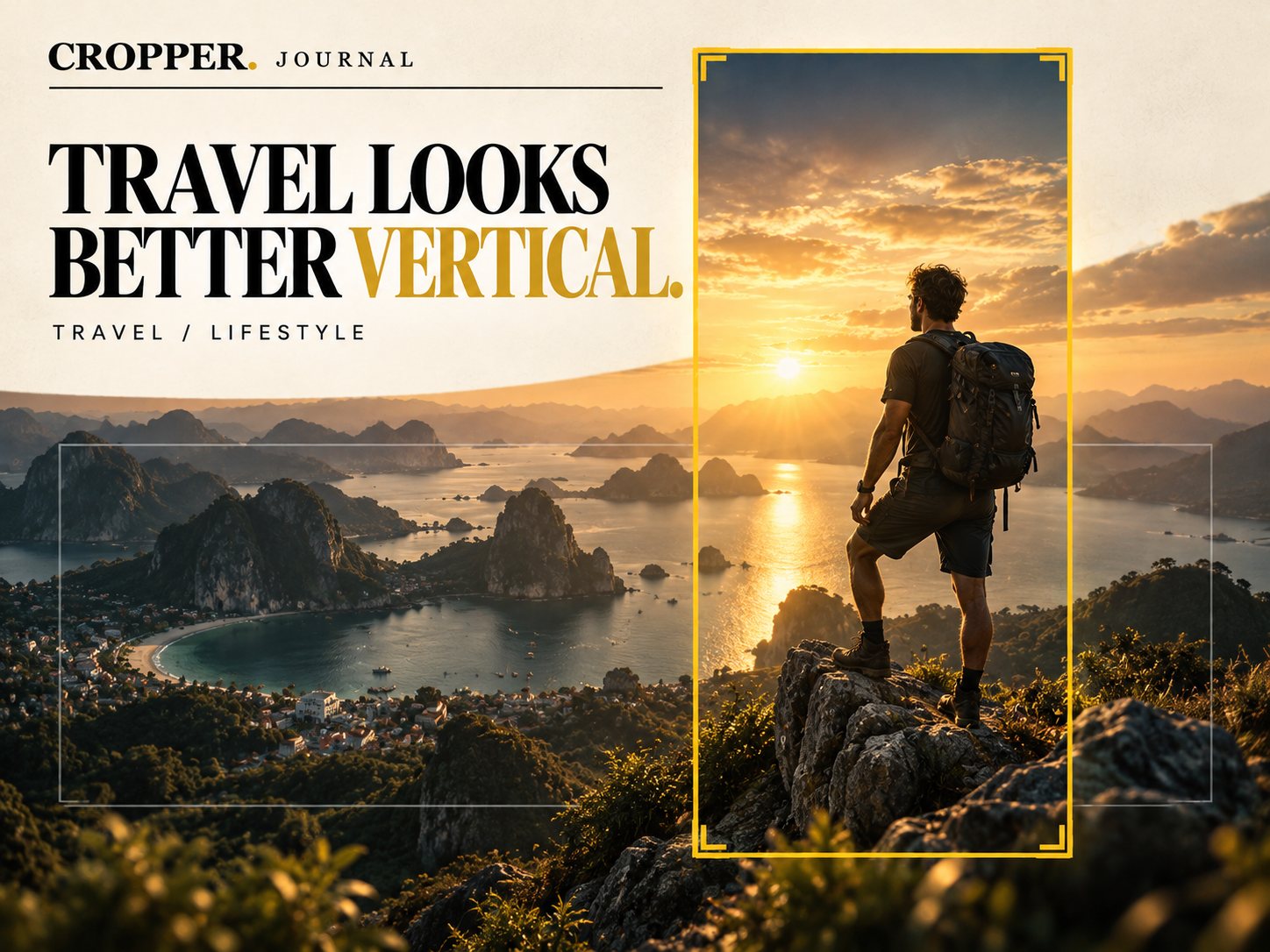
Quick answer: to reframe travel footage for vertical, choose one subject per clip. Frame the person against the view, or use a slow pan across the landscape. Vertical works best when there is a clear foreground element, a horizon in the upper third and depth from bottom to top.
Landscapes are wide, and phones are tall. The trick is to stop trying to show everything and start choosing.
Find the vertical story in a wide view
Person and place: a hiker on a rock with the bay behind them is a perfect vertical shot. The figure anchors the bottom and the view fills the top.
Depth over width: roads, rivers and coastlines that lead away from the camera become strong vertical lines.
Sky as space: a sunset sky gives the top of the frame something beautiful to hold, and keeps captions off the main subject.
Moving the frame across a landscape
When the scene has no single subject, reveal it. Start the vertical window on one side and drift slowly across. This turns a static wide shot into motion and invites the viewer to explore. Keep the move slow and smooth: travel footage rewards calm.
Shooting tips for travel creators
Shoot 4K wide. Cropping a 1080 x 1920 vertical from 4K footage keeps it sharp. From 1080p, the crop is much softer.
Leave the subject room. Do not frame the person tightly in the wide shot. Give the vertical window space to move.
Hold shots longer. Five extra seconds of a steady shot gives you more choices in the reframe.
For more on planning, see Shoot Wide, Deliver Vertical.
Reframe on the road
Cropper runs on iPhone, Android and iPad, so you can turn the day's wide footage into vertical stories from your hotel room.