Color and Composition Together: Grading Footage That Will Be Cropped to Vertical
A grade that works in 16:9 can fall apart in 9:16. How to think about color, contrast and the crop at the same time.
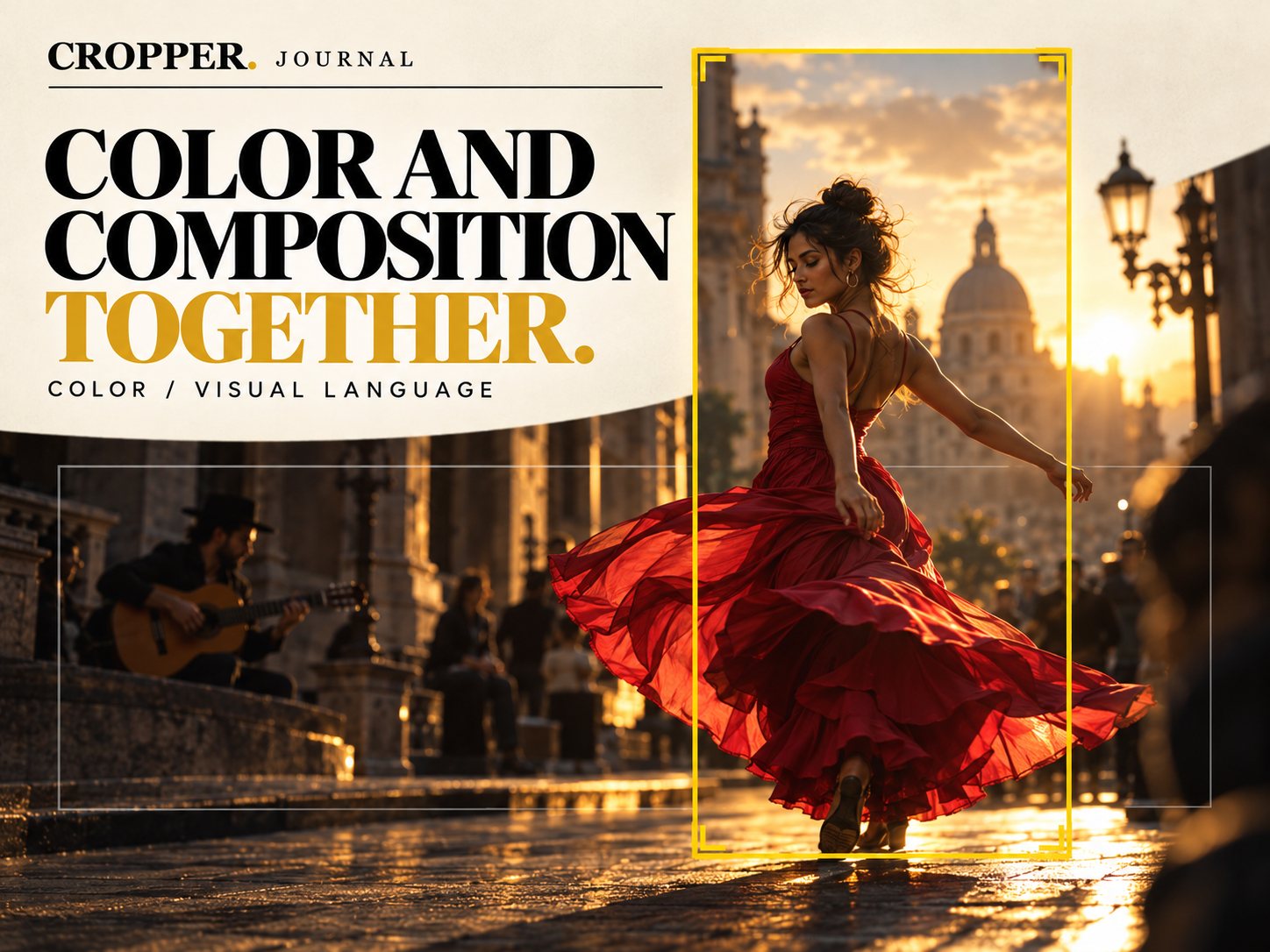
Quick answer: when footage will be reframed to vertical, grade with the vertical frame in mind. Make sure the subject has the strongest contrast or color, avoid vignettes built for the wide frame and check the grade inside the 9:16 window, not only on the full image.
Color guides the eye just as framing does. When you crop, you change which colors are in the picture, so the two decisions belong together.
The subject should own the color
A red dress against warm stone streets is a gift for vertical. The color separates the subject even in a narrow frame. When your subject does not stand out by color, use contrast and light instead: a brighter face, a rim of backlight, a darker background.
Watch out for wide-frame tricks
Vignettes: a vignette drawn for 16:9 darkens the sides. Crop to 9:16 and you either lose it or end up with a lopsided falloff.
Power windows: shapes tracked to a subject in the wide frame may sit at the edge of the vertical crop.
Gradients on the sky: a graduated filter across a wide horizon can look strange when only a slice of it remains.
Grade in the order that suits your workflow
Some editors reframe first and grade the vertical version separately. Others grade the master and then reframe. Either works, as long as you review the grade inside the final frame. In DaVinci Resolve, that means checking the vertical timeline in the Color page before you deliver.
Composition rules still apply
Place the subject on a strong line within the tall frame. Use architecture, lamp posts and doorways as vertical lines that echo the format. Let warm and cool areas balance top to bottom rather than left to right.
See color and frame together
Reframe with Cropper, then review the vertical version where you grade, so you can judge color and frame together.